Use chainId 11155111 (Sepolia).
Sepolia onboarding
MetaMask + Gas + Token Setup
Practical onboarding for FlashAlliance on Sepolia. This page focuses on wallet wiring, gas expectations, and token import sanity checks before real testing.
Core Rules
All write tx gas is paid in Sepolia ETH.
FATK is used by app mechanics, not as native gas.
Use test funds only and verify contract addresses before importing token.
Live Contracts
Factory
0x36eff0B7008Cf5eE8a3FFb2f145BE12D99BFA66C
Creates new alliance instances.
View on EtherscanFATK Token
0x20122EF4591B354CB65383c5dE648Bd7DED83509
Settlement and funding token.
View on EtherscanFaucet
0x1f5ca371C3C0fFA838C228A87087510Fe31676aD
Sepolia FATK distribution with 24h cooldown.
View on Etherscan01
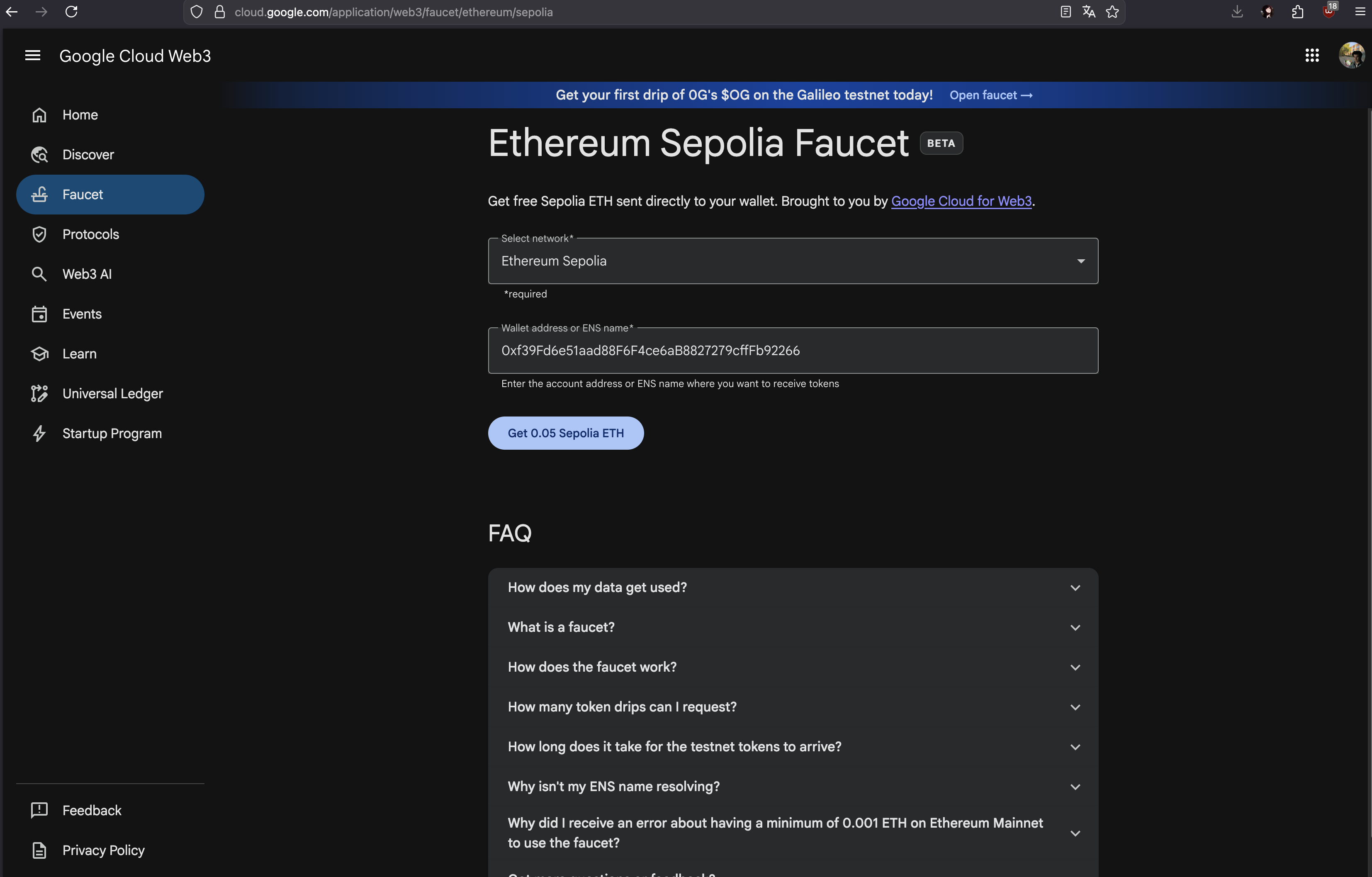
Get Sepolia ETH
Fund wallet with Sepolia ETH to pay gas for all write transactions.
Checklist
- Wallet network is set to Sepolia.
- Address copied correctly before faucet request.
- Transaction funding appears in wallet after faucet response.
If one faucet rate-limits, retry later or use an alternative faucet.
02
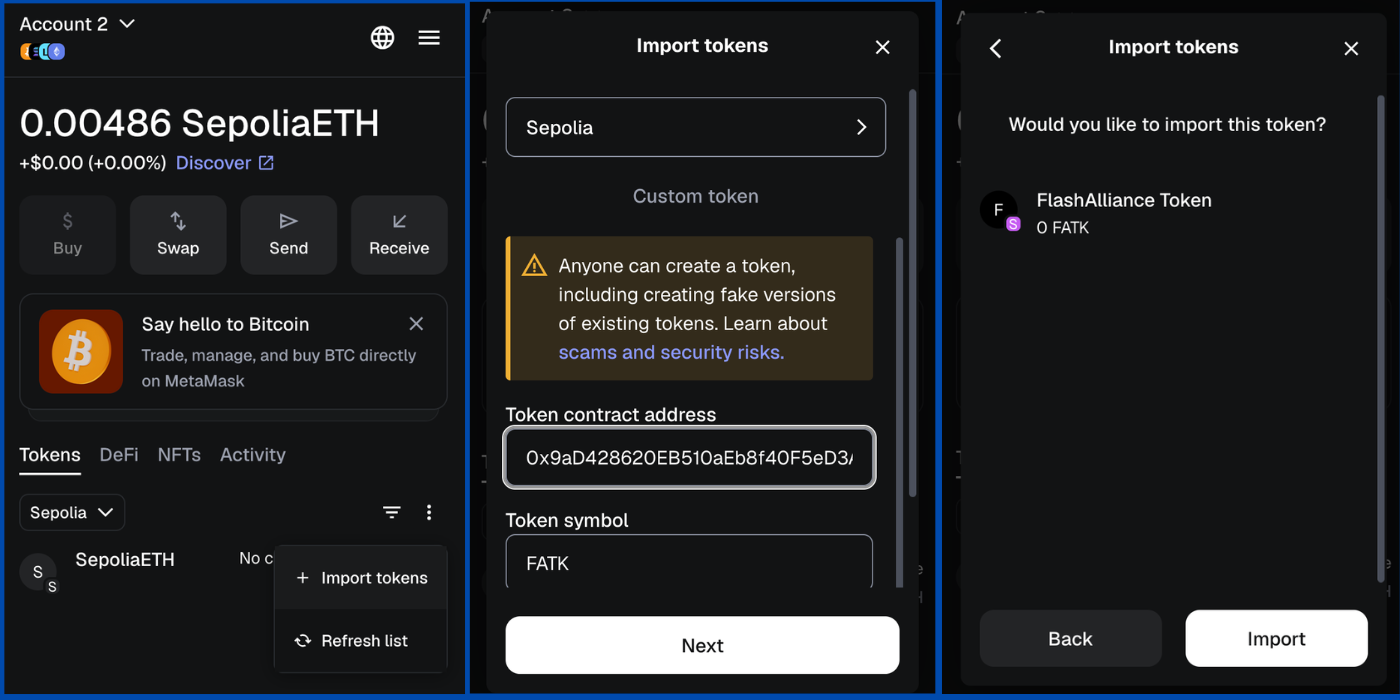
Add FATK to MetaMask
Import token contract manually so balances and transfers are visible.
Checklist
- Token address pasted exactly.
- Token symbol set to FATK.
- Token decimals set to 18.
If values look wrong, remove token from wallet list and re-import.
03
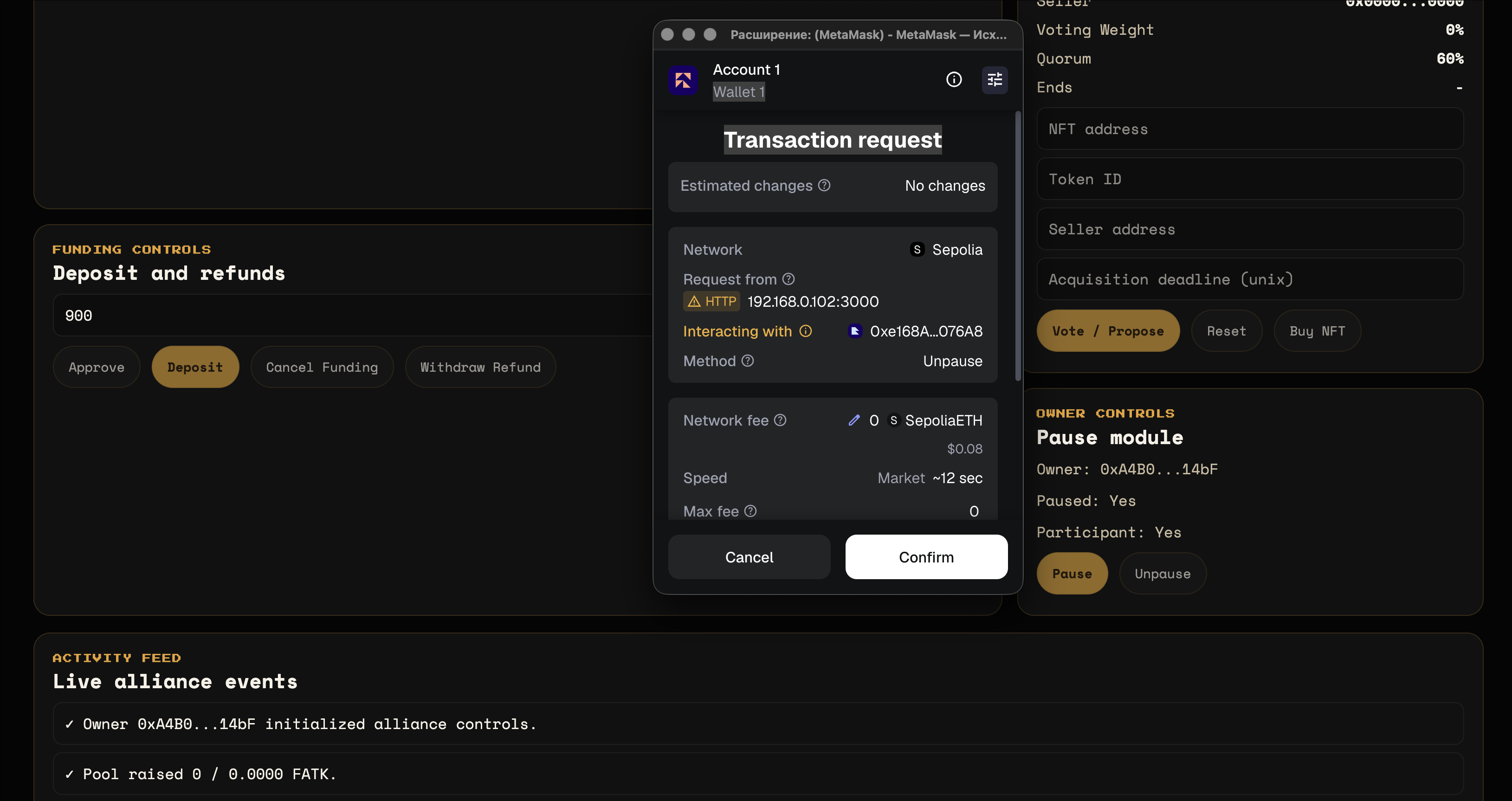
Run one real dApp transaction
Validate full path: connect wallet, sign transaction, confirm on explorer.
Checklist
- Connected account is expected signer.
- MetaMask confirmation window shows Sepolia.
- Final tx hash resolves on Etherscan with success status.
For first test, use faucet claim or a low-risk dApp action.
Quick Troubleshooting
Switch to fallback RPC endpoint and reduce aggressive polling.
Confirm wallet is on Sepolia and frontend chain config matches chainId.
MetaMask signature was denied. Re-open action and confirm transaction explicitly.